Outreach.io and Salesloft Treat LinkedIn as a Manual Step: Closing the Gap
By Marcus Webb, Tools & Automation. Last updated: 2026-05-30
- The LinkedIn step in your sequence is a reminder, not a real send.
- Hand-logging a DM loses the timestamp, the reply, and the channel attribution.
- Chrome-extension patches add the data back, but they ride browser automation that risks the account.
- A verified-API layer executes the send and captures the touch without a human checking a box.
Why don't Outreach.io and Salesloft offer real LinkedIn integration?
Both platforms schedule the LinkedIn step as a to-do, then wait for a human to do it. A sales engagement platform can email and call inside the sequence because it sits on email and telephony APIs it controls. LinkedIn is different: there is no public, sanctioned send endpoint a sequencer can call to fire a connection request or a DM on your behalf. So the platform does the one thing it safely can. It tells the rep "Send a LinkedIn message," surfaces the prospect, and marks the step done once the rep clicks a box.
The gap is structural, not a missing roadmap item. Outreach.io and Salesloft are excellent at orchestrating email, calls, and tasks. They stop at the LinkedIn boundary because executing a DM means living on a LinkedIn send path, and that is a different category of product. Reading the architecture this way matters, because it tells you the fix is not "wait for the next release." It is to add the layer the sequencer was never going to be.
What breaks when a LinkedIn touch is logged by hand?
You lose data fidelity at exactly the channel where intent is highest. When a rep manually sends a connection request and clicks "complete," four things go wrong. The step gets skipped under load and the platform shows it as done anyway. The timestamp is whenever the rep got around to it, not when the message actually sent. The prospect's reply lands in the LinkedIn inbox, invisible to the CRM, so the cadence keeps firing at someone who already responded. And the channel attribution develops holes, because half the touches are real sends and half are guesses, which quietly wrecks any report on how LinkedIn is performing.
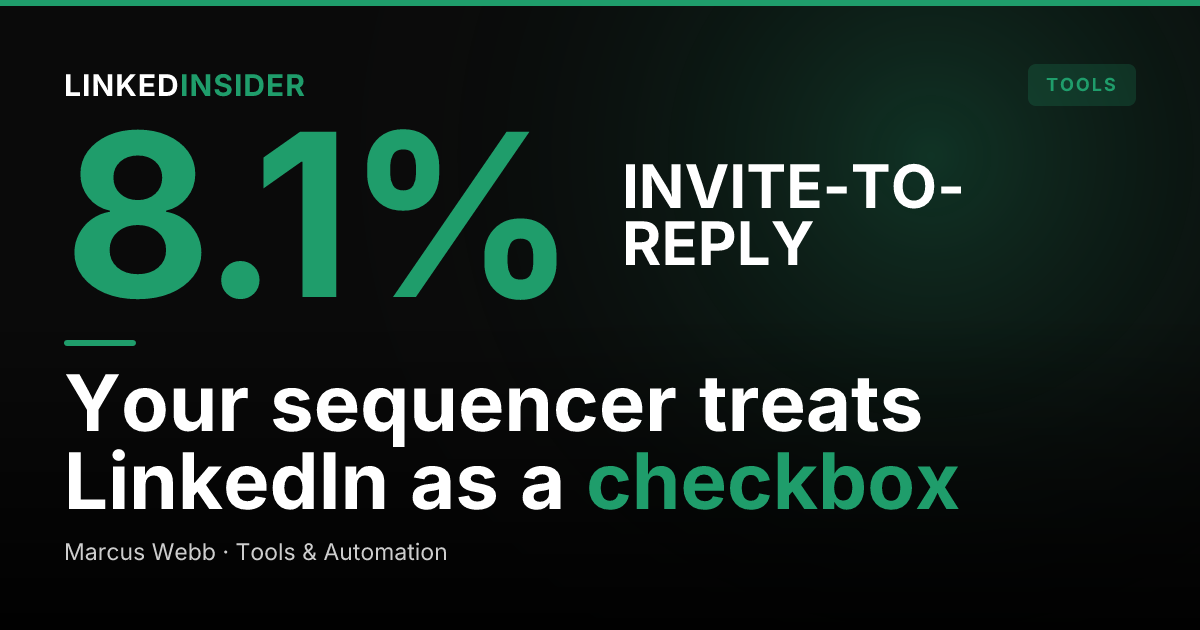
This is not a hypothetical. The channel is worth capturing because it converts. Across 180,155 matured connection requests, Reachium's data shows a 27.11% average connection acceptance rate, and of accepted connections, 27.55% reply, which works out to about 7.47% of every invite sent. A channel doing that kind of work deserves better than a checkbox and a best-effort note in the activity feed. [SYNTHESIS]
Want to put this into practice?
Reachium automates LinkedIn outreach, content publishing, and inbox management in one platform.
Start Free →How do RevOps teams patch the gap today?
Most teams reach for one of four workarounds, and each trades away either safety or data fidelity. The first is pure manual logging: the rep sends in LinkedIn, then types the activity into the CRM. It is honest but slow, and it collapses the moment a rep is busy. The second is a Chrome extension that scrapes the LinkedIn DOM and writes activity back. It captures more data, but it runs as unsanctioned browser automation that LinkedIn actively detects.
The third is Zapier or a custom webhook gluing a LinkedIn tool to the CRM, which adds moving parts and breaks silently when LinkedIn changes its markup. The fourth is a full browser-automation outreach tool that sends and logs, but rides the same unsanctioned path. The risk there is not theoretical: HeyReach, a browser-automation tool, was reported to have triggered a wave of LinkedIn account bans in March 2026. Every one of these patches is a tradeoff between getting the data and keeping the account.
What does a native LinkedIn execution layer look like?
A native execution layer sends the message and captures the touch itself, on a path LinkedIn sanctions. Instead of a reminder, the LinkedIn step becomes a real send: the connection request and the DM go out automatically, the reply comes back into a unified inbox, and the whole touch is recorded with a real timestamp the moment it happens. No human checks a box, so nothing gets skipped, mistimed, or lost.
The send path is what separates this from the patches above. Reachium runs on the verified LinkedIn API through Unipile, a sanctioned partner, rather than a Chrome extension or browser automation. In its data, no client account has been suspended on that approach; the only failure mode is recoverable rate-limiting, which it calibrates to roughly 25 invites a day. Notably, that cap is not just a safety guardrail. Acceptance peaked at 32.01% for accounts sending 10-19 invites a day and fell to 26.65% at 20-29 a day, so restraint actually improves outcomes. The layer also targets well: of a multi-million-lead B2B universe in Reachium's universe, a large share flagged as decision-makers. [SYNTHESIS]
How do you wire execution and capture back into your stack?
You keep the sequencer for what it is good at and slot the execution layer beside it. The cleanest pattern treats the stack as three jobs. Outreach.io or Salesloft owns email and call orchestration and the master task list. The execution layer owns the LinkedIn send and reply. The CRM remains the single source of truth, fed by both. This is the same complement-not-replace logic we cover in all-in-one vs best-of-breed outreach: you do not rip out the sequencer, you remove the one manual seam that was never going to close on its own.
In practice, you map your LinkedIn sequence steps to campaigns in the execution layer, let captured replies sync to the CRM as real activities, and route inbound responses to the rep who owns the account. The principle mirrors the partner-motion playbook in our partnerships and channel outreach framework: execution and reporting live where they belong, and the CRM sees a complete record instead of a hand-typed approximation. If your CRM is HubSpot, the same wiring applies, and we walk it in the LinkedIn and HubSpot integration stack.
Want to put this into practice?
Reachium automates LinkedIn outreach, content publishing, and inbox management in one platform.
Start Free →How do you measure if the LinkedIn channel is actually working?
You measure the same three numbers at every stage, and you only get them clean once the touch is captured automatically. Track acceptance rate (accepted connections divided by invites sent), reply rate of accepted, and meetings booked. Hand-logged data cannot produce these reliably, because the denominators are guesses. A real execution layer produces them as a byproduct of doing the work.
Then benchmark against something external so you know if your numbers are good. Our 2026 outreach benchmarks put acceptance at 27.11% and meetings booked at 1.99% of accepted, and they flag a real trend: reply rate of accepted drifted down through 2025 into 2026, so a flat reply rate this year is actually a quiet win. If you are seeing far below these marks, the problem is usually targeting or message quality, not volume, a point we make in the bad DM problem. [SYNTHESIS]
FAQ
Does Salesloft send LinkedIn messages automatically?
No. Salesloft schedules a LinkedIn step as a task and reminds the rep to send the message manually, then marks it complete when the rep checks the box. It does not execute the connection request or DM on your behalf, because it does not sit on a sanctioned LinkedIn send path.
Can Outreach.io execute LinkedIn DMs inside a sequence?
Outreach.io includes LinkedIn steps in its sequences, but they function as manual to-dos rather than automated sends. The rep performs the action in LinkedIn and logs it; the platform does not call a LinkedIn API to fire the message or capture the reply.
Why do sales engagement platforms stop at LinkedIn?
They control email and telephony APIs, so they can execute those channels directly. LinkedIn offers no public sanctioned endpoint a sequencer can use to send connection requests or DMs, so the platforms default to scheduling a reminder rather than risking an unsanctioned automation path.
How do RevOps teams log LinkedIn activity in the CRM?
Most rely on manual entry, Chrome extensions, Zapier glue, or browser-automation tools, and each trades safety or data fidelity. The cleaner approach is an execution layer on the verified API that records each send and reply automatically and syncs it to the CRM as a real activity.
Is automating LinkedIn DMs safe?
It depends entirely on the send path. Browser automation and scraping extensions are detectable and have triggered account bans, while tools built on the verified LinkedIn API operate on a sanctioned path. In Reachium's data, that approach shows no permanent suspensions, only recoverable rate-limiting calibrated to about 25 invites a day.