LinkedIn Outreach for Recruiters: How to Send High Volume Without Getting Restricted
By Daniel Okoro, Outreach Tactics. Last updated: 2026-05-23
Your LinkedIn account is restricted. It happened during a hiring push. Every sourcing sequence you built stopped cold. That is not a worst-case scenario for a high-volume recruiter. It is an occupational hazard. A single agency recruiter working three open requisitions can legitimately need to contact 30-50 new people per day: candidates for sourcing, hiring managers for BD, referrals for warm intros. That is 150-250+ outbound touches per week from one profile, approaching or exceeding LinkedIn's ceiling almost immediately.
This guide covers how to structure that volume safely, how to separate two concurrent pipelines without inbox chaos, and what to do when one account is no longer enough. If your account is already restricted, start with the LinkedIn account restriction recovery playbook first. For the tool side of the same problem (which platforms actually survive recruiter volume), see the best LinkedIn outreach tool for recruiters ranked roundup. For the broader career question that quietly sits behind every recruiter outreach decision, the editorial take on whether the SDR role is dying in 2026 covers what the same AI shift means for the sourcing function.
Why do recruiters get restricted on LinkedIn more than anyone else?
Recruiters are structurally the heaviest LinkedIn users in B2B. The restriction trigger is not volume alone. It is the combination of three factors hitting simultaneously: consistent maximum utilization every single week, a dip in acceptance rate (even temporary), and a tool that leaves a detectable traffic signature.
LinkedIn's algorithm does not read intent. It reads patterns. A recruiter running full utilization on a browser-extension tool, one that injects activity into a logged-in session at mechanical timing intervals, matches the same behavioral fingerprint as a spam account. The algorithm throttles first and investigates later.
The consequence for a recruiter is severe in a way it is not for most other professionals. Every open sequence stops cold. Candidate leads go dark mid-conversation. A BD campaign that was mid-funnel freezes. The desk is paralyzed until the restriction lifts, often 24-72 hours, sometimes longer, sometimes permanent on a second offense.
The recruiter's core objection, "my volume will get me banned," is not paranoia. It is accurate if the tool architecture is wrong. It is largely solved if the architecture is right.
How many LinkedIn messages a day can a recruiter safely send?
The weekly connection request ceiling for a standard LinkedIn account is approximately 100 invitations per week. Accounts with a Social Selling Index (SSI) score of 70 or above and strong historical acceptance rates can reach 200 per week. LinkedIn does not publish an official fixed number; the limit is dynamic and driven by an Account Health Score that updates continuously based on behavioral signals.
For practical planning purposes, the safe daily ceiling on connection requests from a single account is 15-20 per day, which keeps weekly volume below the cap with buffer. For direct messages to existing connections (a separate action with its own throttle) the ceiling is higher, roughly 100-150 per day, but volume is not the primary risk. A drop in reply rate is. If the outgoing message-to-reply ratio collapses, LinkedIn throttles the account even if raw numbers are within range.
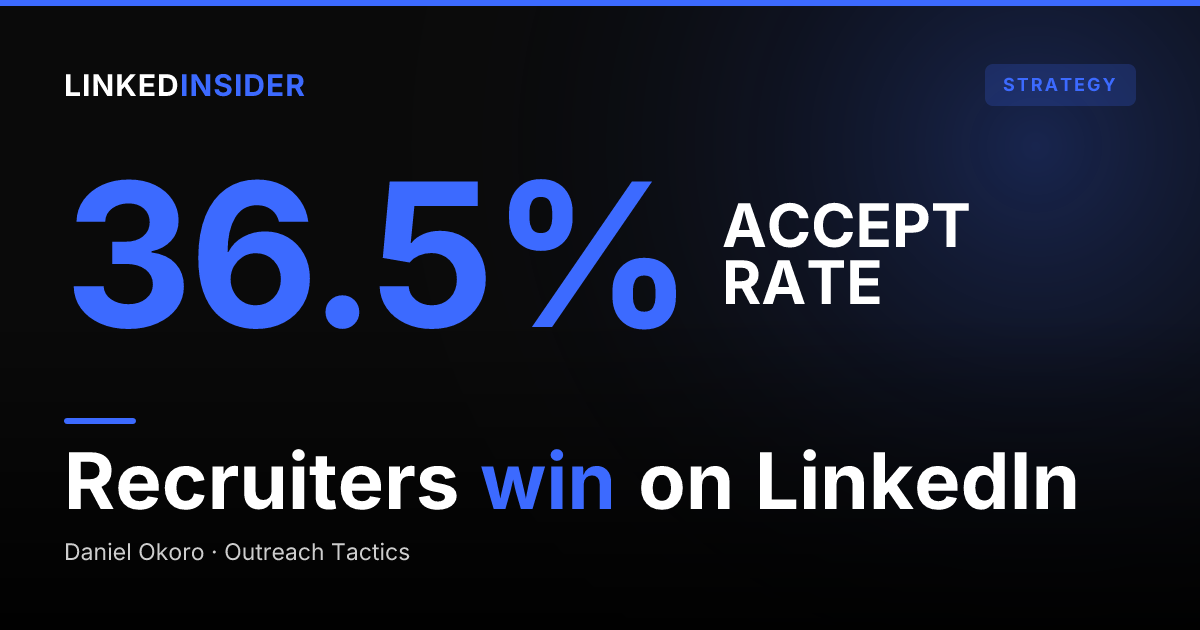
The acceptance rate benchmark matters more than the raw send count. Staffing and Recruiting leads all LinkedIn verticals in connection acceptance at 36.5% and in post-connection message reply rates at 18.9%, according to Expandi's 2026 benchmark study of 13.2 million connection requests across 13,302 accounts. A recruiter with well-targeted lists is naturally operating at acceptance rates that are protective. The risk spikes when a recruiter mass-imports a generic list and sends templated copy: acceptance falls below 20-30%, LinkedIn registers the pattern as spam, and throttling begins. [SYNTHESIS]
For InMail, LinkedIn Recruiter Lite allocates 30 credits per month (maximum accumulation 120). LinkedIn Recruiter Corporate allocates 150 credits per month per seat. These are separate from connection request budgets and from direct messages to existing connections. See the LinkedIn connection limit mechanics for the full breakdown of what counts against which budget.
Practical ceiling for a single well-managed recruiter account:
| Action | Safe daily volume | Weekly cap |
|---|---|---|
| Connection requests (standard SSI) | 14-15/day | ~100/week |
| Connection requests (SSI 70+) | 25-28/day | ~200/week |
| Direct messages (1st-degree) | 100-150/day | No hard cap, but reply-rate throttle applies |
| InMail (Recruiter Lite) | 1/day average | 30/month |
Across two concurrent pipelines, candidate sourcing and client BD, the 100-200/week ceiling is reached fast. That math is why the scale question comes up for every active recruiter, not just high-volume agencies.
Want to put this into practice?
Reachium automates LinkedIn outreach, content publishing, and inbox management in one platform.
Start Free →What makes a LinkedIn outreach tool safe for high-volume recruiting?
The single largest safety variable is how the tool sends activity to LinkedIn: browser extension vs. verified API.
A browser extension scrapes the DOM from an active logged-in session and injects synthetic click events. LinkedIn's detection layer monitors session behavior at a granular level: mouse movement patterns, inter-action timing, request headers. An extension running at high volume produces a behavioral signature that diverges from human use in detectable ways. After LinkedIn's 2025 enforcement update, practitioners consistently report that browser-based automation at moderate volume triggers account restrictions within weeks, even when raw send numbers stay nominally within LinkedIn's stated limits.
A tool built on LinkedIn's verified API (specifically the Unipile enterprise-grade API layer) routes connection requests and messages through the same infrastructure LinkedIn's own applications use. The traffic signature is native. This is not a marketing claim; it is a verifiable architectural difference. High volume through the verified API looks identical to a human using LinkedIn's native interface at pace because the requests travel through the same channel.
Secondary safety factors for any architecture:
- Warmup pacing. Any account should ramp volume over 2-4 weeks rather than launching at ceiling on day one. Sudden activity spikes register as suspicious even on verified-API tools.
- Human-interval timing. Native LinkedIn usage does not send requests at exactly 60-second intervals. A safe tool introduces randomized delays that mirror human behavior.
- List quality. A clean, targeted list maintains high acceptance rates, which is the algorithmic signal that keeps your Account Health Score strong.
For detailed comparison of browser-extension vs. verified-API risk mechanics, the LinkedIn automation safety guide for 2026 covers the full technical breakdown.
How do you keep candidate sourcing and client BD pipelines from colliding?
This is the recruiter's unique operational challenge and the one no generic LinkedIn automation post addresses.
A candidate-sourcing sequence and a BD sequence share the same LinkedIn account inbox, the same weekly invite budget, and the same sender profile. Without deliberate separation, they create chaos: a hiring manager receives a candidate-focused message, a candidate's positive reply drowns in BD threads, and follow-up speed on both pipelines drops because no one can triage the flood. For a detailed breakdown of what the candidate-facing message itself should contain, including the personalization hook that separates 18.9%-reply campaigns from the 2% baseline (per Expandi's benchmark study), see how to write LinkedIn candidate outreach that gets replies. [SYNTHESIS]
The pipeline separation problem has two dimensions:
1. Campaign separation. Run distinct Outreach Campaigns with dedicated lead lists: one filtered for candidate profiles (job title, seniority, industry, open-to-work signals), one filtered for hiring manager and decision-maker profiles (company size, function, hiring-signal triggers). The sequences, messaging cadences, and follow-up steps are different for each motion. Mixing them in a single campaign guarantees copy that lands wrong for half the audience.
2. Inbox and CRM routing. Tag every contact on first reply with their pipeline segment: "candidate" or "client." A unified inbox with AI triage can flag which category an inbound reply belongs to, so the right person on the team responds at the right speed. A hiring manager who just replied to a BD message should not wait 48 hours while the sourcing inbox is prioritized.
On a single account, disciplined campaign tagging and inbox triage is manageable. For a desk with sustained high volume on both pipelines, two accounts (one dedicated to candidate sourcing, one dedicated to BD, whether the recruiter's own second profile or a Rented Account) creates clean structural separation: each account owns one pipeline, one weekly budget, and one message cadence.
Do you still need LinkedIn Recruiter if you have an outreach tool?
LinkedIn Recruiter (Lite: approximately $170/month, $1,680/year per seat; Corporate: $750+/month per seat) provides three things an outreach tool does not: search depth beyond third-degree connections, InMail access to candidates who have not connected, and the Recruiter-specific pipeline UI. Its limitation is the reverse: Recruiter is a sourcing and search product. It has no execution layer. It finds candidates; it does not sequence outreach, manage follow-up, or centralize your inbox.
An outreach tool running on the verified API adds the execution layer: automated connection sequences, AI-personalized first messages based on the prospect's actual posts and job history, conditional follow-ups on non-replies, and a unified inbox for reply management. The two products are genuinely complementary for agencies doing high-volume sourcing.
The cost question is legitimate. LinkedIn Recruiter Lite at $1,680/year per seat is a significant line item for a staffing desk with five recruiters ($8,400/year). At that budget, some agencies run Recruiter for sourcing depth (the search filters, the extended network, the InMail credits) while using a self-serve outreach platform for execution, getting both capabilities at lower total cost than LinkedIn's enterprise tier alone.
Solo recruiters and small agencies can often skip LinkedIn Recruiter entirely and rely on Sales Navigator Core for sourcing filters combined with an outreach tool for sequence execution, keeping the stack lean and the monthly cost under $200 per seat.
The practical decision matrix:
- Use LinkedIn Recruiter if: you need to search and InMail candidates beyond your third-degree network, or you are sourcing for roles where passive candidates are only reachable by InMail.
- Skip LinkedIn Recruiter if: your target candidate pool is within reach via connection requests and you have a strong enough network to source from first and second-degree connections.
- Use both if: you are an agency with open reqs across verticals where some roles require deep passive-candidate search and others require high-volume sequenced outreach to warm networks.
Want to put this into practice?
Reachium automates LinkedIn outreach, content publishing, and inbox management in one platform.
Start Free →How do rented LinkedIn accounts let recruiters scale past the one-account ceiling?
The per-account ceiling is structural: approximately 100-200 connection requests per week, one sender profile, one inbox. For a staffing firm running three concurrent client campaigns (candidate sourcing for each plus active BD), one account produces insufficient pipeline even at maximum safe utilization.
Rented Accounts solve this at the architecture level rather than the risk level. A Rented Account is a pre-warmed LinkedIn profile with a dedicated proxy and a 4-week warmup period that brings it to operating velocity before it touches any campaign. Each Rented Account adds a full second weekly invite budget and a second inbox without exposing the recruiter's personal profile to additional restriction risk. The personal account is never the one hitting the ceiling on the BD pipeline.
The dual-pipeline use case is the cleanest structural fit:
- Account 1 (recruiter's own profile): candidate sourcing sequences, targeted to candidate profiles, with the recruiter's personal brand as the sender.
- Account 2 (Rented Account, $150/mo): client BD sequences, targeted to hiring managers and decision-makers, running simultaneously with a full separate weekly invite budget.
Each account runs its own campaigns, manages its own inbox, and has its own weekly budget. The recruiter's personal account carries zero additional restriction exposure from the BD volume.
For a two-person staffing desk running both pipelines, one Rented Account at $150/mo doubles capacity without adding headcount or risking the personal accounts that hold years of built connections and relationship history.
FAQ
What's the safest LinkedIn automation tool for recruiters?
Safety for recruiters at high volume comes down to tool architecture, not policy claims. A tool built on LinkedIn's verified API (specifically Unipile) routes all connection requests and messages through the same channel as LinkedIn's own applications, producing a native traffic signature that is indistinguishable from a human user. Browser-extension tools inject synthetic activity into a logged-in session, which leaves a detectable pattern at high volume. For a recruiter running 80-100+ connection requests per week across two pipelines, the verified-API architecture is the functional difference between running safely and facing a restriction.
How many LinkedIn messages a day can a recruiter safely send?
On a standard account, the safe ceiling is 14-15 connection requests per day (keeping weekly volume near 100 with buffer). On a high-SSI account (70+) with strong historical acceptance, the ceiling extends to 25-28 per day (up to 200 per week). Direct messages to existing first-degree connections have no hard daily cap but are throttled when reply rates drop, so list quality and message relevance matter more than raw send volume. InMail is separate: Recruiter Lite provides 30 credits per month.
Can I keep candidate and client BD pipelines truly separate on one LinkedIn account?
Yes, but it requires discipline. Run separate Outreach Campaigns with dedicated lead lists for each pipeline: one filtered for candidate profiles, one for hiring managers and decision-makers. Tag every contact on first reply with their segment (candidate or client) in your CRM. Use a unified inbox with AI triage to route inbound replies to the right follow-up queue. On a single account, this works well for moderate volume. For sustained high volume on both pipelines simultaneously, two accounts (one personal, one Rented Account) creates cleaner structural separation.
What tool handles high-volume recruiting outreach safely at scale?
Reachium is built on the verified Unipile API, which is why Reachium reports zero client account suspensions across its entire user base. For recruiters running candidate sourcing and client BD simultaneously, it supports separate Outreach Campaigns with distinct lead lists, Network CRM for pipeline tagging, and Unibox for centralized inbox management across accounts. Rented Accounts ($150/mo) add a pre-warmed second profile for when the per-account ceiling is not enough. A free trial is available at reachium.io.
Do I still need LinkedIn Recruiter if I use an outreach tool?
It depends on your sourcing model. LinkedIn Recruiter provides search depth beyond third-degree connections and InMail credits to reach candidates who have not connected with you, capabilities an outreach tool does not replicate. An outreach tool adds the execution layer Recruiter lacks: sequenced outreach, AI personalization, conditional follow-up, and inbox management. For high-volume agencies, running both in combination (Recruiter for sourcing depth, an outreach tool for execution) typically delivers better results and lower total cost than LinkedIn's enterprise tier alone. Solo recruiters and small firms can often replace Recruiter with Sales Navigator Core and an outreach tool for under $200/seat per month.
How do I scale LinkedIn outreach across multiple accounts as a staffing firm?
Rented Accounts are the answer for scaling past the per-account ceiling without risk to personal profiles. A Rented Account is a pre-warmed LinkedIn profile with a dedicated proxy and a 4-week warmup period, adding a full second weekly invite budget. The practical setup for a staffing firm: run candidate sourcing sequences on the recruiter's personal account, run client BD sequences on a Rented Account. Each pipeline gets its own sender, its own weekly budget, and its own inbox without the two ever colliding.
Sources
- Reachium
- Expandi. LinkedIn Outreach Benchmarks 2026 (13.2M data points)
- LinkedIn Help. InMail sending limits in Recruiter and Recruiter Lite
- konnector.ai. LinkedIn Weekly Connection Request Limit 2026
- pin.com. LinkedIn Recruiter Pricing 2026
- Linked Insider. LinkedIn Account Restriction Recovery
- Linked Insider. Stop Sending 100 Connection Requests Per Day
- Linked Insider. Is LinkedIn Automation Safe in 2026?
- Linked Insider. LinkedIn Response Rate Benchmarks