How Can Recruiters Book More Candidate Calls on LinkedIn?
By Daniel Okoro, Outreach Tactics. Last updated: 2026-05-24
The math is this: you connected with 80 candidates last week. Four replied. One booked a call.
That result is not random. The gap between that outcome and what top-performing recruiters produce is almost entirely in the message and the reply management system behind it, not the channel, not the volume, not the LinkedIn product tier. Understanding exactly what creates the gap is what this piece is about.
Why do most LinkedIn candidate messages get ignored?
70% of the global workforce qualifies as passive talent (employed, not browsing job boards, not expecting recruiter messages) (LinkedIn Talent Trends research, 18,000 professionals across 26 countries). They are not uninterested in better opportunities. They are uninterested in messages that read exactly like the other ten recruiter notes in their inbox this week. [SYNTHESIS]
Generic recruiter templates like "Hi [First Name], I came across your profile and think you'd be a great fit for an exciting opportunity..." are identifiable in under three seconds by any professional who has been on LinkedIn for more than two years. PhantomBuster's 2026 survey found that generic, non-personalized outreach produces reply rates well below the 5-8% cold-outreach median. That is not a LinkedIn problem; it is a message problem. [SYNTHESIS]
Volume compounds the issue. PhantomBuster's data found that recruiters who send more than 25 connection requests per week are nearly half as likely to hit a 40%+ acceptance rate as those who send fewer but more targeted requests. Higher volume with weaker targeting does not improve the funnel. It dilutes it. The candidate is not evaluating the role in the first message; they are evaluating whether the recruiter actually knows who they are. If the message contains no evidence of that, it gets archived. [SYNTHESIS]
What does a LinkedIn message need to say to get a candidate to reply?
One piece of genuine homework. That is the minimum standard that separates messages that get replies from messages that do not.
LinkedIn's own analysis of InMail performance found that messages personalized to a candidate's specific profile details get response rates roughly 15% higher than bulk-sent InMails. PhantomBuster's 2026 survey found signal-based personalization (referencing a specific career move, post, or profile detail) reaches 2-3x the median reply rate compared to generic outreach. Reps who always personalize are 4.5x more likely to achieve high connection acceptance rates than those who only occasionally personalize. [SYNTHESIS]
Three elements that convert in candidate outreach:
-
A specific hook. One sentence referencing something real: a career transition, a skill pivot, a post the candidate wrote, a company milestone, a shared connection's context. Not "I came across your profile," which tells the candidate nothing. "I saw you moved from engineering into product management at [Company] last year, and that exact crossover is relevant to something I am working on" tells them the recruiter read their profile.
-
A brief, concrete role description. Not the job title. Describe what the work actually involves and why it is interesting for someone with their background. A software engineer who pivoted to product does not need to hear "Senior PM role." They need to hear what makes this specific PM role match the path they are already on.
-
A low-friction ask. "Would a 15-minute call be worth it to you?" invites a conversation. "Are you interested in exploring new opportunities?" invites a yes/no that defaults to no. The first question is about the call; the second is about the candidate's entire career situation.
Direction for a career-transition hook: "I saw you moved from [Role A] to [Role B] at [Company] last year. That combination is genuinely rare, and I am working on a [role type] where that crossover matters. Worth 15 minutes to hear more?"
For the full library of template patterns that hold at scale, the outreach templates that hit 40% reply rates post has the structures organized by sequence step.
Want to put this into practice?
Reachium automates LinkedIn outreach, content publishing, and inbox management in one platform.
Start Free →Should recruiters use InMail or a connection request for candidate outreach?
The data supports a connection-first, InMail-as-escalation approach for most candidate segments.
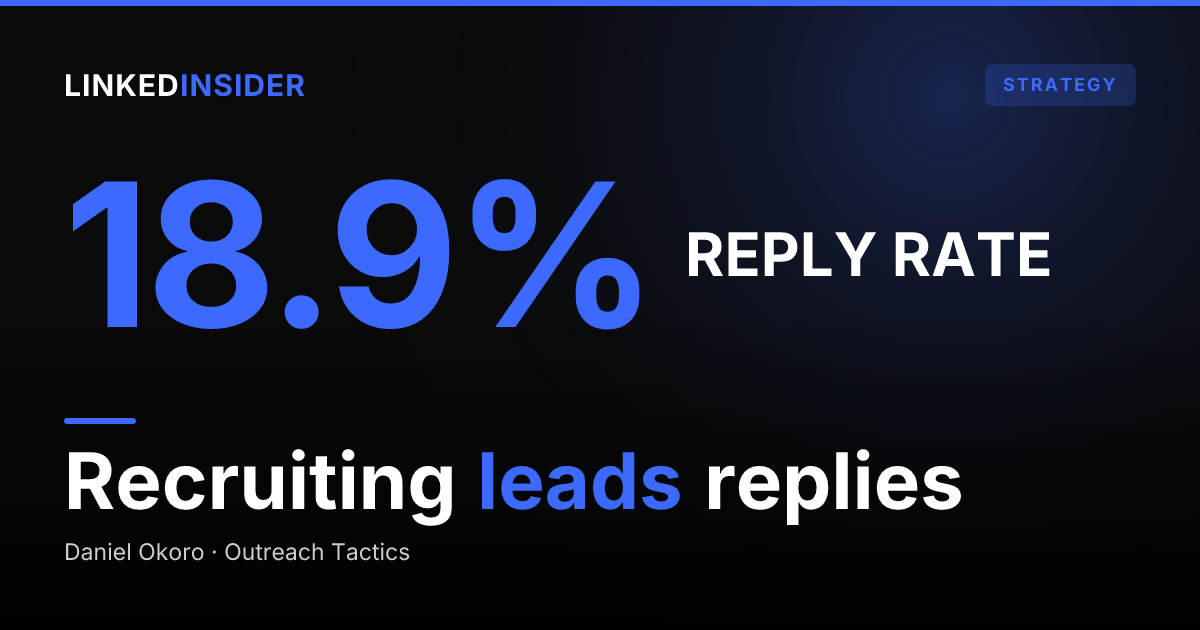
Staffing and Recruiting achieves a 36.5% connection acceptance rate, the highest of all industries tracked in Expandi's 13.2M-data-point benchmark. Post-connection DMs in this vertical average an 18.9% reply rate with no InMail credits consumed. LinkedIn Recruiter Lite provides 30 InMail credits per month; LinkedIn Recruiter Corporate provides 150. Running every cold outreach through InMail exhausts credits that are better held for high-value or 3rd-degree contacts. [SYNTHESIS]
The decision rule: [SYNTHESIS]
- Candidate within 2nd degree, or has "Open to Work" enabled: connection request first. LinkedIn's own analysis shows "Open to Work" candidates are 35% more likely to respond to an InMail, but the same signal (they are open) means they are also likely to accept a connection request, which costs nothing and keeps the conversation in the standard inbox.
- Candidate is 3rd degree, in a specialized market, or high enough value to warrant direct contact: InMail is appropriate, but the personalization standard is identical: the channel does not do the work that specificity does.
InMails sent individually get response rates roughly 15% higher than bulk-sent InMails (LinkedIn's own analysis of InMail data). That gap exists entirely because individual sends make it possible to reference the candidate's actual profile; bulk sends do not. [SYNTHESIS] For a fuller comparison of the two channels and when to use each, the InMail vs. connection request comparison post covers the decision mechanics.
What is a realistic reply rate benchmark for candidate outreach, and how do you hit it?
Staffing and Recruiting leads all industries with a 18.9% post-connection message reply rate and a 36.5% connection acceptance rate (Expandi, 13.2M data points, May 2025-April 2026). The platform-wide post-connection reply average is 10.4%. A recruiter hitting the 18.9% benchmark is running a measurably better outreach operation than most peers on the platform. [SYNTHESIS]
The gap from 10.4% to 18.9%, per Expandi's benchmark, lives in three places: targeting quality (reaching candidates whose backgrounds genuinely match the role, not a spray-and-pray approach), message specificity (the personalization mechanics above), and follow-up sequence design. Multi-step sequences spaced 2-5 business days apart meaningfully improve reply rates over single-touch messages; 2-3 follow-ups is the productive range before returns diminish. [SYNTHESIS]
Of the 70% of the workforce who are passive candidates, 45% are open to speaking with a recruiter when the approach is right (LinkedIn Talent Trends research). That "when the approach is right" qualifier is the entire brief in three words. [SYNTHESIS]
For the full benchmark picture (acceptance rate, reply rate, by-industry breakdowns) the LinkedIn response rate benchmarks post has the complete data. For the question of how many messages to send safely per account, the LinkedIn outreach for recruiters companion post covers safe volume architecture, dual-pipeline management, and restriction risk. Recruiters who run a parallel partner network (in-house attorneys, finance hiring managers, fractional CHROs) can apply the same relationship-first cadence covered in the broker referral-partner playbook on LinkedIn.
How do you write a follow-up message that re-engages a candidate who did not reply?
The first follow-up is not a nudge. It is a different value proposition. The opening message introduced the role; the follow-up introduces a new reason the candidate specifically should care. Use the 2-5 day interval to find a second personalization hook: a piece of news at their current company, a job posting that highlights a skill they have, a mutual connection's recent activity.
What not to send: "Just following up on my previous message." This is the most common recruiter follow-up and one of the weakest. It tells the candidate the recruiter has nothing new to say. Candidates who ignored the first message will ignore this one faster.
A follow-up frame that consistently works in candidate outreach: acknowledge that the candidate is probably not actively looking, then restate the specific reason their background makes this role worth 15 minutes. "I know you are not necessarily looking, and that is actually why I came back. [Specific role detail] is a harder combination than most open reqs, and [specific thing from their profile] is exactly what makes it worth the call." Include a direct booking link in the follow-up, not the opening message.
For the structural patterns that top-performing DMs use in the follow-up step, the analysis of 100 top-performing LinkedIn DMs covers what separates the close from the re-ask.
Want to put this into practice?
Reachium automates LinkedIn outreach, content publishing, and inbox management in one platform.
Start Free →How do you manage the reply flow when multiple candidates respond at once?
Reply management is where most recruiters lose placements they already earned. A passive candidate's willingness to engage has a short half-life. They reply, wait 24 hours, hear nothing, and the moment closes. At volume (multiple accounts, multiple reqs, multiple sequences running simultaneously) positive replies get buried under noise from people who connected but did not respond and from sequences that are mid-run.
The problem compounds because recruiter outreach operates on two pipelines simultaneously: candidate sourcing and client business development. Without a system that separates and flags positive signals across both pipelines, the most interested candidates in one flow get lost while the recruiter is triaging the other.
Unified inbox tools consolidate replies across all connected accounts, flag positive responses and booked calls by category (positive reply, question, objection, booking confirmation), and let the recruiter triage by urgency rather than scroll through threads. The booking system closes the loop: a direct link in the follow-up message lets the candidate schedule without requiring an email chain to find a time.
For the full discussion of managing a dual-pipeline inbox across multiple accounts at safe volume, the LinkedIn outreach for recruiters post covers the architecture. Client BD is the other half of the staffing-firm pipeline that runs on the same accounts; the client BD message templates for staffing firms post covers the eight trigger-based openers that work on hiring managers. For the platform-level decision (which tool best supports candidate sourcing alongside client BD), the best LinkedIn outreach tool for recruiters roundup ranks the options on volume safety and dual-pipeline segmentation.
FAQ
What is a good LinkedIn reply rate for recruiter candidate outreach?
The industry benchmark for Staffing and Recruiting is 18.9% post-connection reply rate (Expandi, 13.2M data points). Platform-wide the average is 10.4%. A recruiter below 10% has a targeting or personalization problem. A recruiter above 15% is running a well-personalized, well-targeted operation. The 18.9% benchmark is achievable with contextual personalization and tight ICP targeting.
Should I send a connection request or InMail when sourcing candidates?
Connection-first for most segments. InMail for 3rd-degree, high-value, or tight-market candidates where you cannot wait for a connection to be accepted. The personalization standard is identical regardless of channel: the channel does not compensate for a generic message.
How long should a LinkedIn recruiter message be?
Under 80 words for the opening message. Under 60 words for follow-ups. The highest-performing recruiter messages are short: one specific hook, a brief description of why the role fits this candidate's actual background, and one low-friction ask. Everything beyond that is noise that reduces reply rate.
What should a recruiter say in a LinkedIn follow-up message?
A second personalization hook and a restatement of why this specific candidate's background makes the role worth 15 minutes. Not a re-ask of the same message. Not "just checking in." Something new: a company news item, a role detail they did not get the first time, an acknowledgment that they are likely not actively looking paired with a clear reason why the call is worth it anyway.
How do I personalize LinkedIn messages at scale without writing each one from scratch?
Tier 4 AI personalization tools read a candidate's actual LinkedIn activity (posts, career transitions, company news) and draft a contextual first message for each person in seconds. The test for whether a tool is genuinely doing this: look at a generated message and identify the specific real thing it references about that candidate. If you can point to it, the personalization is real. If the message could apply to any candidate in the same role, it is still a template.
What tool manages candidate reply volume on LinkedIn?
Unified inbox platforms that aggregate replies across all connected LinkedIn accounts and use AI to flag positive signals, questions, and booked calls by category. For recruiters running multiple concurrent searches across multiple accounts, this is not optional. It is how warm leads stay warm.
Sources
- LinkedIn outreach for recruiters, Linked Insider
- LinkedIn response rate benchmarks, Linked Insider
- Outreach templates at 40% reply rates, Linked Insider
- Analyzed 100 top-performing LinkedIn DMs, Linked Insider
- Reachium
- Expandi LinkedIn Outreach Benchmarks 2026, 13.2M connection requests, May 2025-April 2026
- LinkedIn Talent Solutions: Recruiting Passive Candidates
- LinkedIn Business Talent Blog: InMail personalization
- PhantomBuster LinkedIn Personalization Survey 2026